5 min read
The digital accessibility benefits for businesses go far beyond legal compliance. Accessibility is often treated as just a legal requirement. A compliance box to tick and move on from. But that framing misses most of the picture, and it comes at a real commercial cost.
A website that is accessible to people is a better website for them, and also for the business that owns it. There are several reasons why this is true.
Digital Accessibility Benefits: Reach a Wider Audience
An estimated 1.3 billion people worldwide, around 16% of the global population, live with a significant disability. In the United Kingdom, the figure is 16.8 million people, or 25% of the population. This is a very large portion of any business’s potential customer base, and many websites currently exclude these individuals.
Accessibility benefits more than just people with disabilities. For example, a commuter with a slow internet connection, or a mother with a baby in her arms trying to browse one-handed, will both benefit from improved clarity of layout and a clear structure. Improved clarity of layout and structure will help all users navigate a site quickly and easily.
Improved Search Engine Rankings
Search Engines and LLMs Reward the Same Things That Improve Accessibility
Search engines and LLMs like ChatGPT, Gemini, or Claude are essentially ‘blind’ users. They rely on semantic HTML, clear headers, and descriptive alt text to make sense of your pages. When your site hits those WCAG standards, it’s much easier for these tools to crawl and index your content accurately. Whether someone is using a traditional search bar or asking an AI for a recommendation, having a ‘clean’ site means you’re far more likely to show up as a top result.
Stop losing people at the finish line
A ‘bounce’ is often just a frustrated user who couldn’t figure out a clunky form. When you design for people who might struggle with complex layouts or tiny hit-boxes, you end up making a checkout process that works perfectly for everyone. In a nutshell, if your forms are easy to finish, more people will complete their transactions. A lower abandonment rate is a massive signal to search engines that your site is actually useful, which keeps your organic rankings climbing.
Reduced Legal Exposure
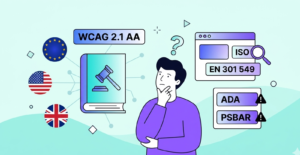
In the United Kingdom, the Equality Act 2010 requires businesses to make reasonable adjustments for users with disabilities. WCAG 2.1 AA is the generally accepted standard to demonstrate that the obligation has been met. Organisations in the Public Sector are required to meet additional obligations under the Public Sector Bodies Accessibility Regulations 2018 (PSBAR).
In the European Union, the European Accessibility Act came into force on 28 June 2025, extending requirements to private businesses across e-commerce, banking, travel, and other sectors. In the United States, over 5,000 ADA-related lawsuits were filed in federal courts in 2025. (UsableNet, 2025)
The financial exposure is real, and reputational damage from a public complaint is hard to recover from.
Revenue You Are Not Collecting
According to the Click-Away Pound Study, UK businesses are losing approximately £11.75 billion per year due to disabled users leaving websites that do not meet their accessibility requirements. This figure represents lost revenue from uncompleted purchases, uncompleted signups, and customers who go to your competitors instead.
This is particularly important for e-commerce businesses. If your checkout process, product pages, or account management is not accessible to users, then you are not just failing to comply with accessibility regulations; you are losing sales.
A Stronger Brand
Businesses that invest in accessibility send a message to users that they have given serious consideration to who is using their site, not just who is easiest to design for. Over time, this investment in accessibility will build trust with your users. Your commitment to accessibility will resonate with customers who value inclusion. It matters to prospective employees, and it differentiates you from competitors who are still treating accessibility as a box to tick later.
Publishing an accessibility statement and policy that accurately reflects the state of your site is one of the most credible signals a business can make.
Accessibility Drives Innovation
Accessibility isn’t a niche feature. Improving your search rankings and fixing navigation issues might start as a compliance task, but it creates a better experience for all of your users.
Providing captions to videos makes them searchable. Providing clearer error messages will reduce the number of support requests you receive. Designing a simpler navigation experience will speed up the time it takes for your mobile application to load. Designing keyboard accessibility can reveal errors in focus order and interaction design that affect all users, not just users of assistive technologies.
The limitations of designing for accessibility tend to result in more efficient and robust interfaces.
Where Do I Start?
Most people start with an automated scan. Tools such as WAVE, Axe and Google Insights let developers quickly identify structural errors. However, automated scanning only identifies around 30% of real accessibility errors (GDS tool audit). The remaining 70% of real accessibility errors are best discovered through manual testing. Examples of real accessibility errors that automated scanning tools cannot discover include: keyboard traps, logically incorrect heading orders, screen-reader conflicts, and contextual alt-text.
An independent accessibility audit will give you an overall picture of your website’s level of accessibility. The results will include details about every accessibility error, their level of severity, and provide you with specific guidance as to how you can address each issue.
If you’d like us to review your site and explain everything in plain English, book a free consultation! We’d be more than happy to guide you through our basic evaluation process.
Related articles